For residents living in the emirate of Sharjah, paying monthly utility bills is an essential part of managing household expenses. Electricity, water, and gas services are provided by the government authority known as Sharjah Electricity, Water and Gas Authority, commonly referred to as SEWA.
Whether you are a long-term resident or someone who has recently moved to the emirate of Sharjah in the United Arab Emirates, understanding how SEWA bills work is important. Fortunately, SEWA has modernized its services and now offers multiple digital solutions that allow residents to check bills online, make payments, review billing history, and submit enquiries easily.
In this detailed guide, we will explore everything you need to know about SEWA bills, including how to check your bill online, payment methods, bill enquiry options, accessing billing history, and useful tips for managing your utility expenses.
What is SEWA?
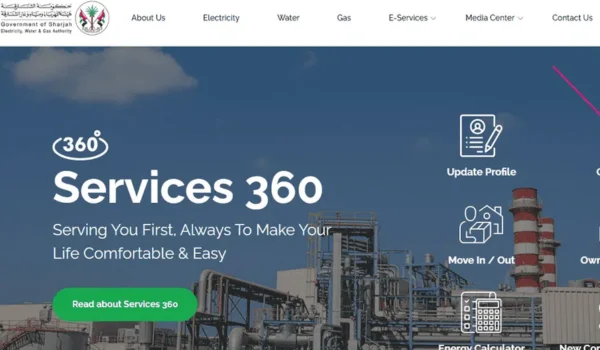
Sharjah Electricity, Water and Gas Authority (SEWA) is the government organization responsible for providing electricity, water, and natural gas services to residential, commercial, and industrial customers in Sharjah.
SEWA manages:
- Electricity supply
- Water distribution
- Natural gas services
- Utility infrastructure and maintenance
Every home or apartment connected to SEWA receives a monthly utility bill that reflects the consumption of electricity, water, and gas during the billing cycle.
Understanding SEWA Bills
A SEWA bill is typically generated once every month and includes the total amount payable for utilities used during that period.
The bill usually contains the following sections:
- Customer Information
This section includes:
- Customer name
- Account number
- Property address
- Meter details
- Billing Period
The statement shows the start and end dates of the billing cycle, typically covering a period of around 30 days.
- Electricity Charges
Electricity charges are calculated based on:
- Total units consumed (kWh)
- Tariff rates
- Applicable service fees
- Water Charges
Water charges depend on the amount of water consumed during the billing period.
- Gas Charges (if applicable)
If the property is connected to natural gas services, the gas consumption will also appear on the bill.
- Government Fees and Taxes
Some bills may include:
- Municipality fees
- VAT (Value Added Tax)
- Other service charges
Understanding these components helps residents monitor their utility usage and avoid unexpectedly high bills.
How to Check SEWA Bills Online
One of the easiest ways to check your SEWA bill is through digital platforms. SEWA has developed several convenient systems for online bill access.
- Checking Bills Through the SEWA Website
The official website of Sharjah Electricity, Water and Gas Authority allows customers to view their bills anytime.
Steps to Check Your SEWA Bill Online
- Visit the official SEWA website.
- Go to the Bill Inquiry or Bill Check section.
- Enter your SEWA account number.
- Click Search or View Bill.
- Your latest bill details will appear on the screen.
This method is quick and works on both computers and mobile browsers.
- Checking Bills Through the SEWA Mobile App
SEWA also offers a mobile application that allows customers to manage their accounts digitally.
Features of the SEWA mobile app include:
- Bill viewing
- Payment services
- Consumption tracking
- Customer support requests
Residents in Sharjah often use the mobile app because it makes bill management more convenient.
- Checking Bills Through SMS
In some cases, SEWA allows customers to receive bill information via SMS notifications.
Once registered, customers receive alerts that include:
- Monthly bill amount
- Payment due date
- Payment confirmation messages
SEWA Bill Payment Methods
SEWA provides several convenient ways to pay your utility bills. Residents can choose the method that best suits their needs
- Online Payment Through the SEWA Website
Paying bills online through the SEWA website is one of the most popular methods.
Steps to Pay Online
- Visit the SEWA official website.
- Navigate to the Bill Payment section.
- Enter your account number.
- Select your payment method.
- Complete the transaction.
Accepted payment methods usually include:
- Credit cards
- Debit cards
- Online banking
Payments are processed instantly, and customers receive confirmation receipts.
- Payment Through the SEWA Mobile App
The SEWA mobile app allows residents to pay bills directly from their smartphones.
Steps
- Open the SEWA app.
- Log in to your account.
- Select Pay Bill.
- Enter payment details.
- Confirm the transaction.
This option is convenient for busy residents who prefer managing bills on the go.
- Payment Through UAE Bank Apps
Many banks in the United Arab Emirates offer SEWA bill payment services through their mobile banking apps.
Customers can simply:
- Log in to their banking app
- Select Utility Bill Payment
- Choose SEWA as the provider
- Enter their account number
- Complete the payment
- Payment Through Payment Kiosks
SEWA also provides self-service kiosks in different areas of Sharjah where residents can pay bills using cash or cards.
These kiosks are located in:
- Shopping malls
- Government service centers
- Utility offices
SEWA Bill Enquiry Services
Sometimes customers may have questions about their utility bills. SEWA offers several ways to submit bill enquiries.
Residents can contact SEWA for:
- Billing disputes
- Meter reading clarification
- Payment confirmation issues
- Unexpected high bill investigations
Bill enquiries can be made through:
- SEWA website contact forms
- Customer service helpline
- Mobile app support features
Customer service teams typically review the request and respond with a solution.
How to View SEWA Bill History
Tracking past utility bills can be useful for budgeting and monitoring energy usage.
SEWA allows customers to access billing history through their online accounts.
Steps to View Billing History
- Log in to your SEWA account.
- Navigate to Billing History.
- Select the desired month.
- View or download the bill.
This feature allows residents to analyze trends in electricity and water consumption.
Benefits of Using SEWA Online Services
SEWA’s digital services provide several advantages for residents.
Convenience
Customers can check and pay bills without visiting offices.
Faster Payments
Online payments are processed instantly.
Better Expense Management
Access to billing history helps residents track monthly utility costs.
Secure Transactions
Online payment systems use secure technology to protect customer data.
Tips to Reduce SEWA Utility Bills
Utility costs can sometimes increase due to high electricity or water usage. Here are some practical tips to reduce your SEWA bills.
Use Energy-Efficient Appliances
Energy-efficient appliances consume less electricity and reduce overall costs.
Turn Off Unused Lights
Switch off lights and devices when not in use.
Monitor Air Conditioning Usage
Air conditioning is one of the biggest electricity consumers in the UAE climate. Using smart thermostats can help manage usage.
Fix Water Leaks
Even small leaks can increase water consumption significantly.
Check Monthly Usage
Regularly reviewing your SEWA bill can help detect unusual consumption patterns.
Digital Transformation of Utility Services in the UAE
The United Arab Emirates is known for its rapid digital transformation, and government authorities like Sharjah Electricity, Water and Gas Authority are embracing smart technology.
Future developments may include:
- Smart meters for real-time consumption tracking
- AI-powered billing insights
- Automated payment systems
- Integrated digital utility dashboards
These innovations will make utility management even more efficient for residents.
Final Thoughts
SEWA bills are an essential part of living in Sharjah. Understanding how to check bills, make payments, submit enquiries, and track billing history helps residents manage their household expenses more effectively.
Thanks to modern digital platforms offered by Sharjah Electricity, Water and Gas Authority, customers can now handle most billing tasks online within minutes. From checking monthly charges to making quick payments and reviewing past bills, the entire process has become much simpler.
By using SEWA’s online services and adopting energy-saving habits, residents can ensure efficient utility management while keeping their monthly expenses under control.
